Every Cretile kit comes with a grade-wise curriculum and lifetime access to Cretile's learning platform (LMS). For every project, a teacher gets a video tutorial, a step-by-step guide and class slides, plus a guide showing where it maps to NEP 2020, CBSE and ICSE. So the teacher isn't designing a robotics course from scratch. They open next week's lesson the night before and run it.
Kits are rarely the reason a school STEM lab goes quiet. Lessons are. A teacher with a full timetable can't write a new hands-on lesson every week, so the lab gets used when someone has spare time, and then not at all. A curriculum that's already written, period by period, is what keeps it on the timetable.
Every project
Has a video, a step-by-step guide and class slides
Lifetime
LMS access with every kit
24
Projects in each Mini School course
NEP 2020, CBSE, ICSE
Curriculum mapping included
What should a robotics curriculum for schools include?
A good school robotics curriculum gives teachers four things: projects in a set order for each grade, a lesson for each project that fits one class period, a way to see where it fits the syllabus, and material the teacher can show the class. Without all four, the teacher ends up writing the course themselves.
| What teachers need |
What Cretile provides |
| Projects in order, grade by grade |
A fixed project list for each kit and course, from first circuit to coding, IoT and AI |
| A lesson for each project |
A session plan, video tutorial and step-by-step guide for every project |
| Something to show the class |
Ready-made class presentations |
| Proof it fits the syllabus |
Curriculum mapping guides for NEP 2020, CBSE and ICSE |
What does a teacher get on the Cretile LMS?
Lifetime access, free with every kit, to a session plan, class presentation, step-by-step guide and video tutorial for every project, plus a quiz and the curriculum mapping.
- Session plans. What to teach in each session, in order, broken into timed steps. A new teacher can pick it up and run a class from day one.
- Class presentations. Slides for every session, with the concept, the questions to ask and real-world examples already laid out. The teacher projects them and teaches straight through.
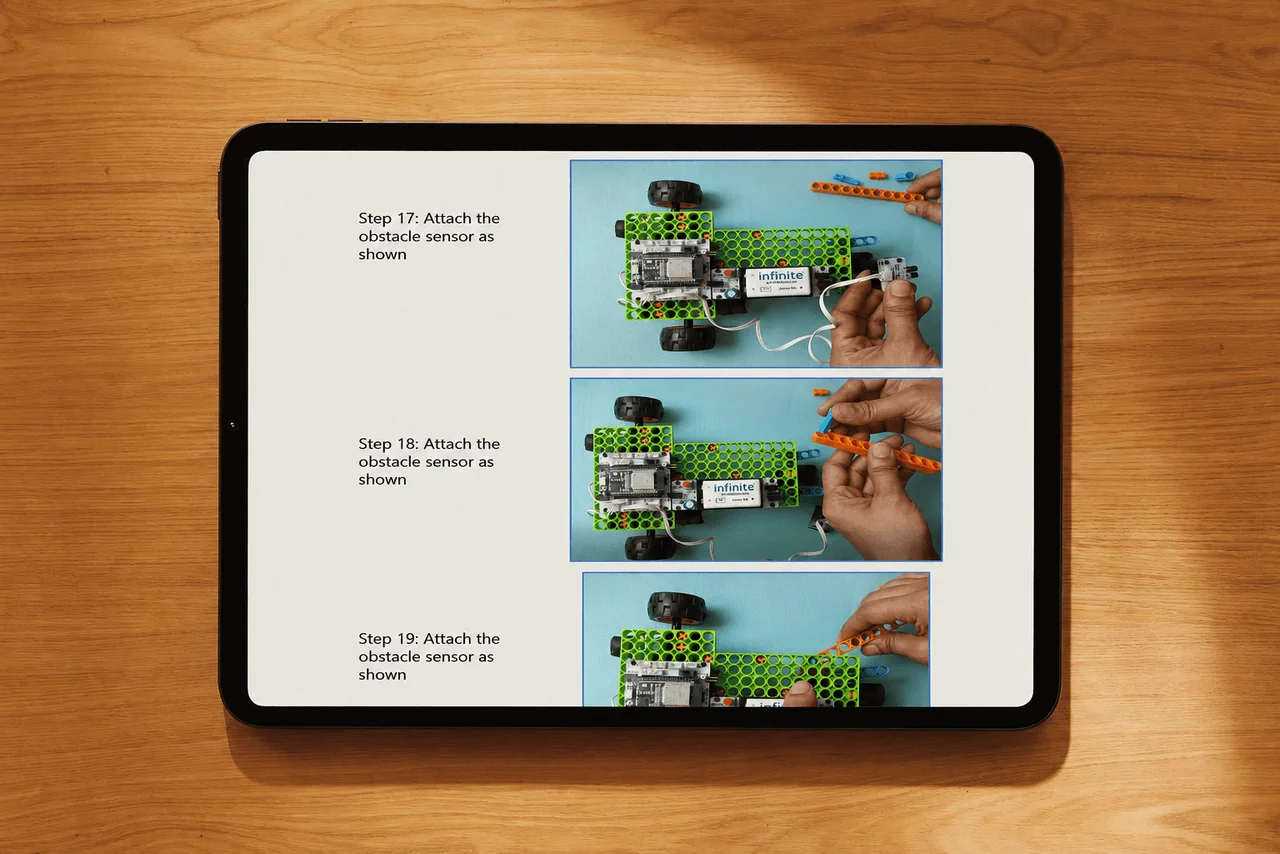
- Step-by-step guides. Illustrated building steps students can follow on their own, so the teacher can move around the room and help where it's needed.
- Video tutorials. A video of the full build for every session. Teachers watch it the night before, or play it in class so everyone follows the same steps.
- Quizzes. A short quiz after a lesson, so the teacher can see what the class understood.
- Curriculum mapping. Where each project connects to the school syllabus, grade by grade.
Access doesn't expire. A school that bought kits three years ago still opens the same lessons today, and new teachers can use them from their first week.
What does curriculum mapping look like?
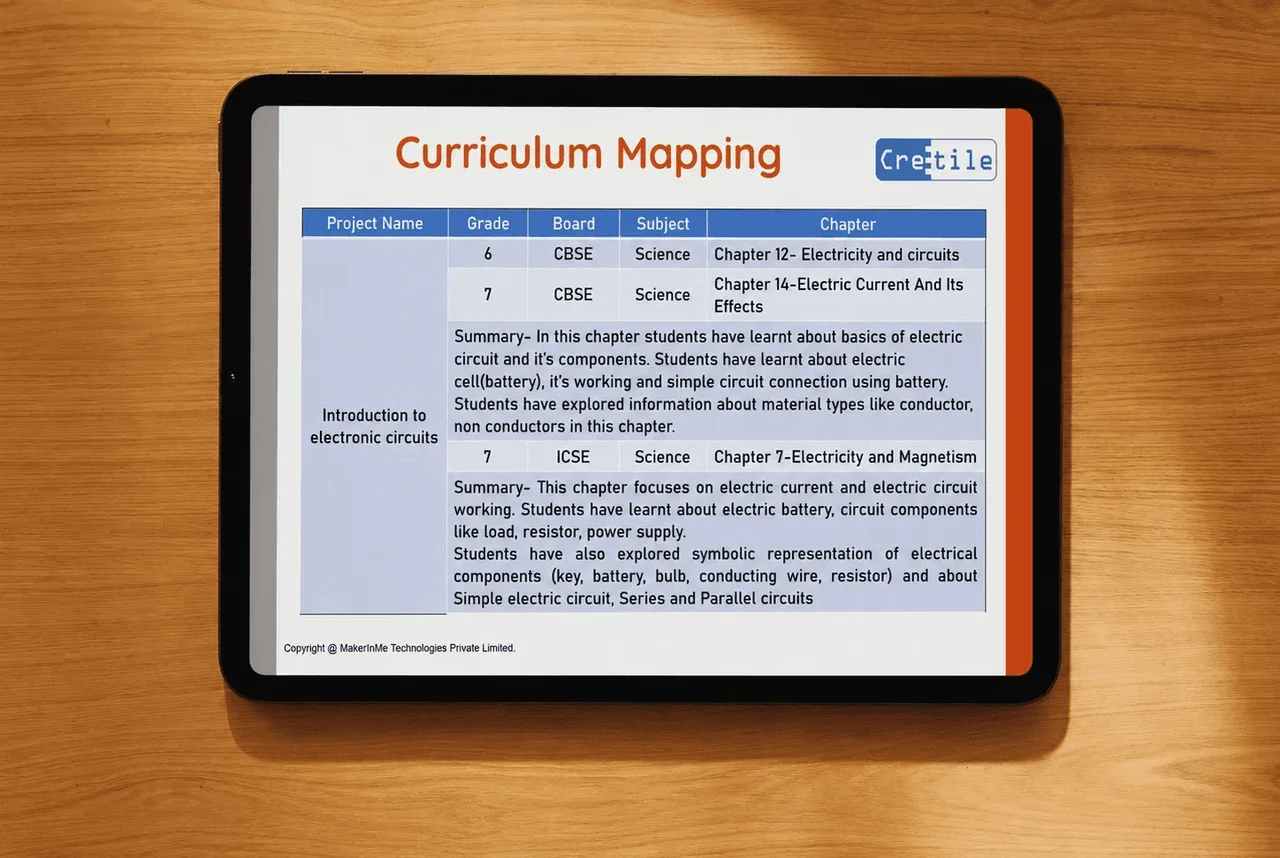
For each project, the mapping shows the grade, the board, the subject and the textbook chapter it supports, with a short summary of what students already learned in that chapter.
Take the project "Introduction to electronic circuits". Its mapping points to:
| Grade |
Board |
Subject |
Chapter |
| 6 |
CBSE |
Science |
Chapter 12, Electricity and circuits |
| 7 |
CBSE |
Science |
Chapter 14, Electric current and its effects |
| 7 |
ICSE |
Science |
Chapter 7, Electricity and magnetism |
So a coordinator can show exactly where the lab supports the science syllabus, and a science teacher can run the project in the same week as the chapter. That's what makes the lab part of the school's teaching, not an extra.
How is a year of lessons laid out?
Each kit comes with a fixed set of projects for each grade, so a school can plan the year before it starts.
| Grades |
Kit |
Projects |
| 1 to 3 |
TinkerBlock |
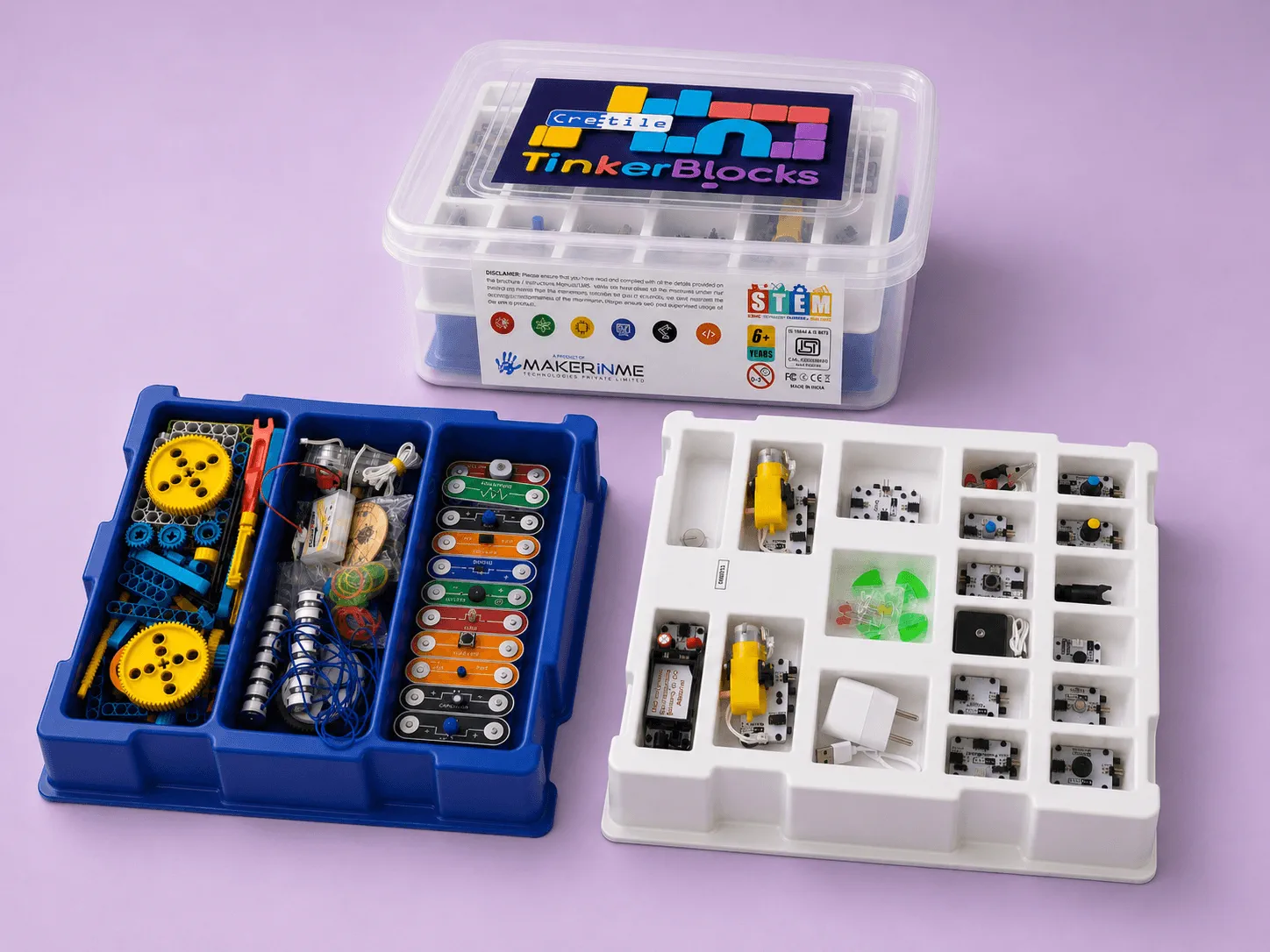
75 projects, 25 for each grade. Building blocks and snap-together electronics, no coding |
| 1 to 3 |
EduPlay STEM |
46 projects (16, 15 and 15), mapped to the science and maths syllabus |
| 4 to 10 |
Combined Kit |
48 projects in two tracks of 24: electronics and robotics, then robotics and coding |
| 4 to 10 |
Mini School Kit |
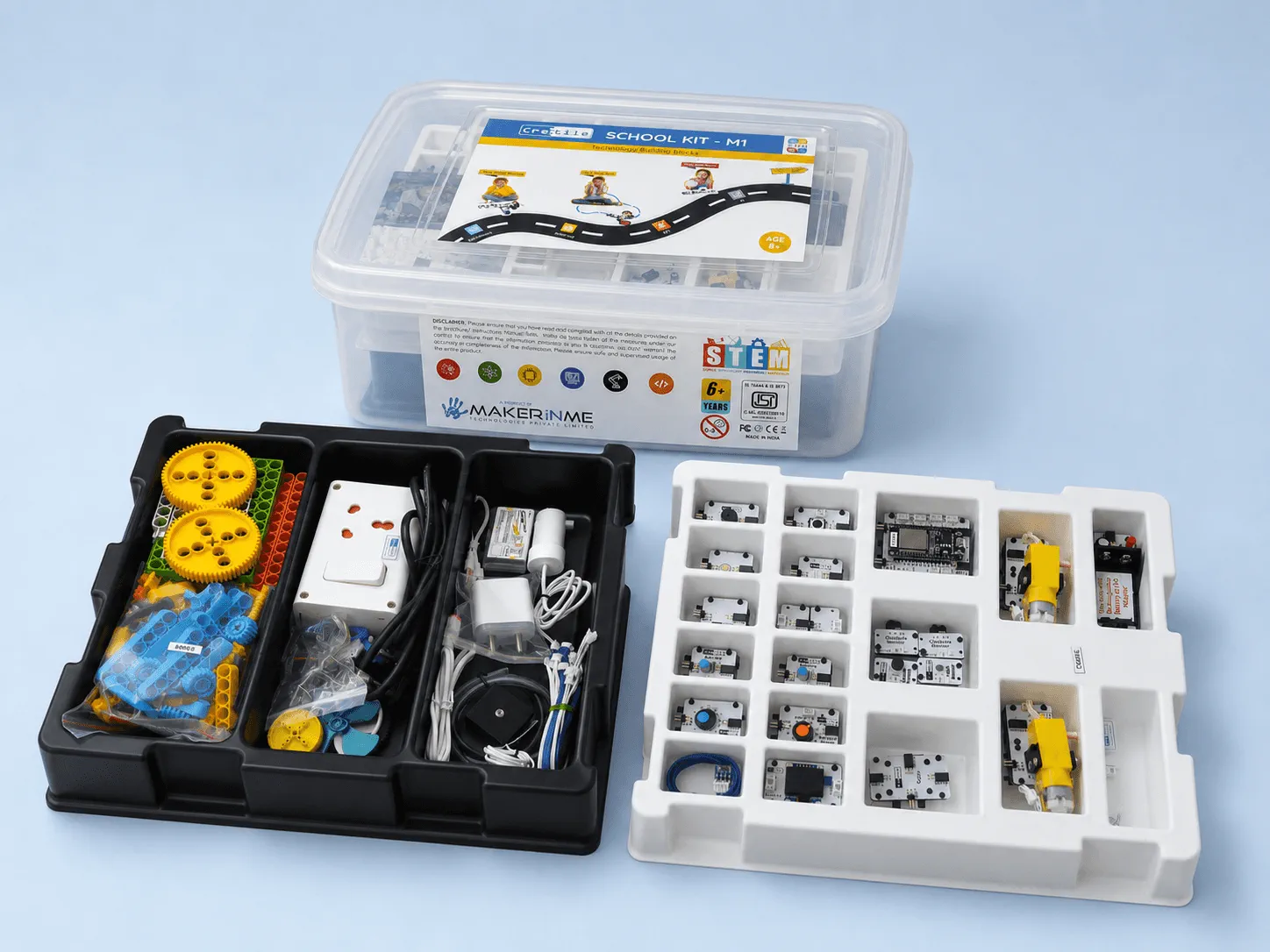
144 projects in six courses of 24, one course each for Grades 4, 5, 6, 7 and 8, and one shared by Grades 9 and 10. Video lessons for all six courses |
The projects build on each other. Younger students start with what each block does and how a circuit works. Older students move on to robotics, coding, Internet of Things (IoT) projects, phone apps and introductory AI, using NetLogic, the programmable block.
How does a lesson fit into a 40-minute period?
Each project is designed to be finished in one 40-minute class period, and its session plan splits the time into timed steps. Here's the plan for the first session, "Introduction to basic electronic circuit", where students learn the basics of Cretile modules and the obstacle sensor:
| Minutes |
Step |
What happens |
| 10 |
Introduction |
The teacher explains electronic circuits and sensors |
| 5 |
Introduction |
The battery module, light module and buzzer module |
| 5 |
Introduction |
How sensors work: the sensor base and the obstacle sensor |
| 5 |
Build |
The teacher explains the working model |
| 5 |
Build |
Students assemble the modules and make the connections |
| 10 |
Build |
Students explain how their project works |
Other projects split the period differently, but the shape stays the same: introduce the idea, build and test, then talk about why it works. Because a project fits one period, a lesson never spills into next week, and a missed week doesn't break the sequence. The plan is a guide, not a script: teachers can slow down, repeat a project, or let a class go further.
Because a project fits one period, a lesson never spills into next week, and a missed week doesn't break the sequence. The plan is a guide, not a script: teachers can slow down, repeat a project, or let a class go further.
Does a teacher need training to use the curriculum?
Yes. Cretile trains the trainers at our EdTech partners, and they train the teachers in each school. Training covers the kit, the projects and a walkthrough of the LMS, so the teacher knows where everything is before the first class.
In Rajkot, Gujarat, our trainer spent two days with 5 teachers. Day 1 was building projects. Day 2 covered NetLogic, programming, MIT App Inventor and a walkthrough of the LMS and its resources. The goal was for them to teach with Cretile without relying on support.
We've trained more than 10,000 teachers, and training is the main reason partners choose Cretile. See how it works in our guide to STEM teacher training for schools.
Why does a ready curriculum matter more than the kit?
Because the kit only gets used if there's a lesson to run with it. A school can buy excellent equipment and still have an empty lab if every period has to be planned from nothing.
Most teachers who run STEM labs don't come from a technical background, and they shouldn't have to become engineers or course designers to do it. The kit makes the build simple: Cretile blocks are magnetic, with no soldering and no wrong connections. The curriculum makes the lesson simple. Together they turn "we have a lab" into "every section has a STEM period every week".
Who this is for
You're a school principal. You need the lab used every week, by more than one enthusiastic teacher. Ask any supplier to show you a lesson for a project in Grade 4 and one in Grade 8. If they can't, your teachers will be writing the course.
You're a STEM or ATL coordinator. ATL is the Atal Tinkering Lab, the government-funded tinkering lab under the Atal Innovation Mission. You plan the year and support other teachers. A fixed project list for each grade lets you build the timetable in one sitting, and the mapping guides show where each project fits the syllabus.
You're running an EdTech or CSR STEM programme. You need the same lessons in every school, so trainers, teachers and your own reports all follow one plan. A shared curriculum with video for every project is what lets a programme scale without a trainer in every room.
What to ask any supplier about their curriculum
| Question |
A good answer |
| Is there a lesson for every project, or only a project list? |
A lesson for every project: session plan, slides, guide, video and quiz |
| Does each lesson fit one class period? |
Yes, with a suggested time plan |
| Is it mapped to our board's syllabus? |
Yes, with a mapping guide for NEP 2020, CBSE or ICSE |
| How long do we keep access? |
For as long as the school uses the kit |
| Can a new teacher pick it up mid-year? |
Yes, with training and the videos |
FAQ
Does Cretile provide a robotics curriculum for schools?
Yes. Every Cretile kit comes with a grade-wise curriculum: a fixed list of projects, each with a session plan, video tutorial, step-by-step guide, class presentation and quiz, plus curriculum mapping to NEP 2020, CBSE and ICSE.
What is included in the Cretile LMS?
Session plans, class presentations, step-by-step guides, video tutorials, quizzes and curriculum mapping for every project. Access is free and lifetime with every kit.
Is Cretile's curriculum mapped to CBSE and ICSE?
Yes. Cretile provides curriculum mapping guides for NEP 2020, CBSE and ICSE.
How many projects are there per grade?
It depends on the kit. TinkerBlock has 25 projects for each of Grades 1 to 3. The Mini School Kit has six courses of 24 projects for Grades 4 to 10.
Does LMS access expire?
No. Every kit purchase includes lifetime access.
Are there student books?
Yes. Add-on student books are available for every kit.
Get started
Order one kit and use it for 8 weeks, with full access to the LMS. If it isn't right for your school, we arrange the pickup and a full refund.
Or tell us your grades and how many sections you want to run, and we'll connect you with the Cretile partner nearest you.
Related: How Cretile blocks work · STEM teacher training for schools · What a STEM lab is, and what goes into one
Talk to us