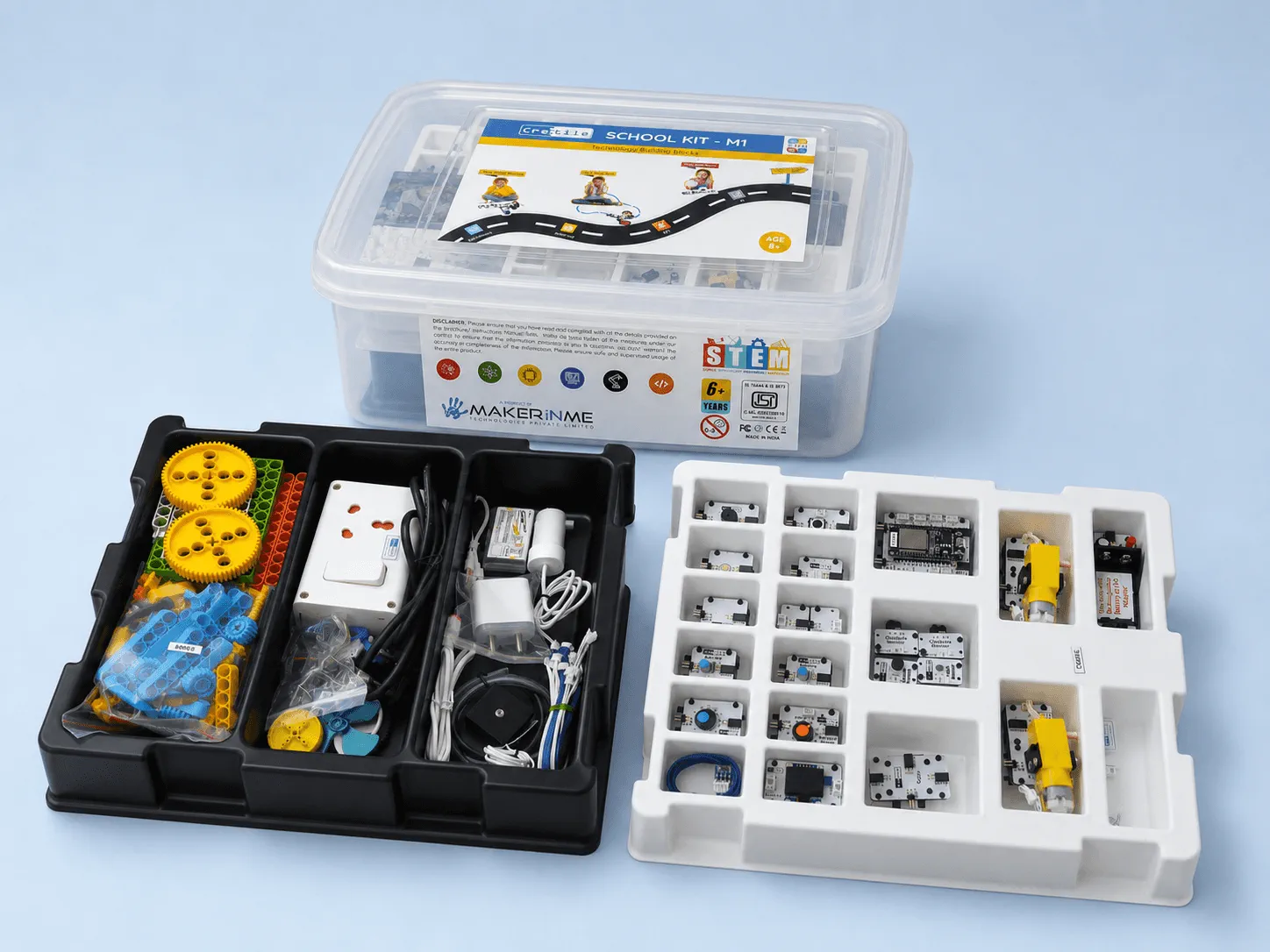
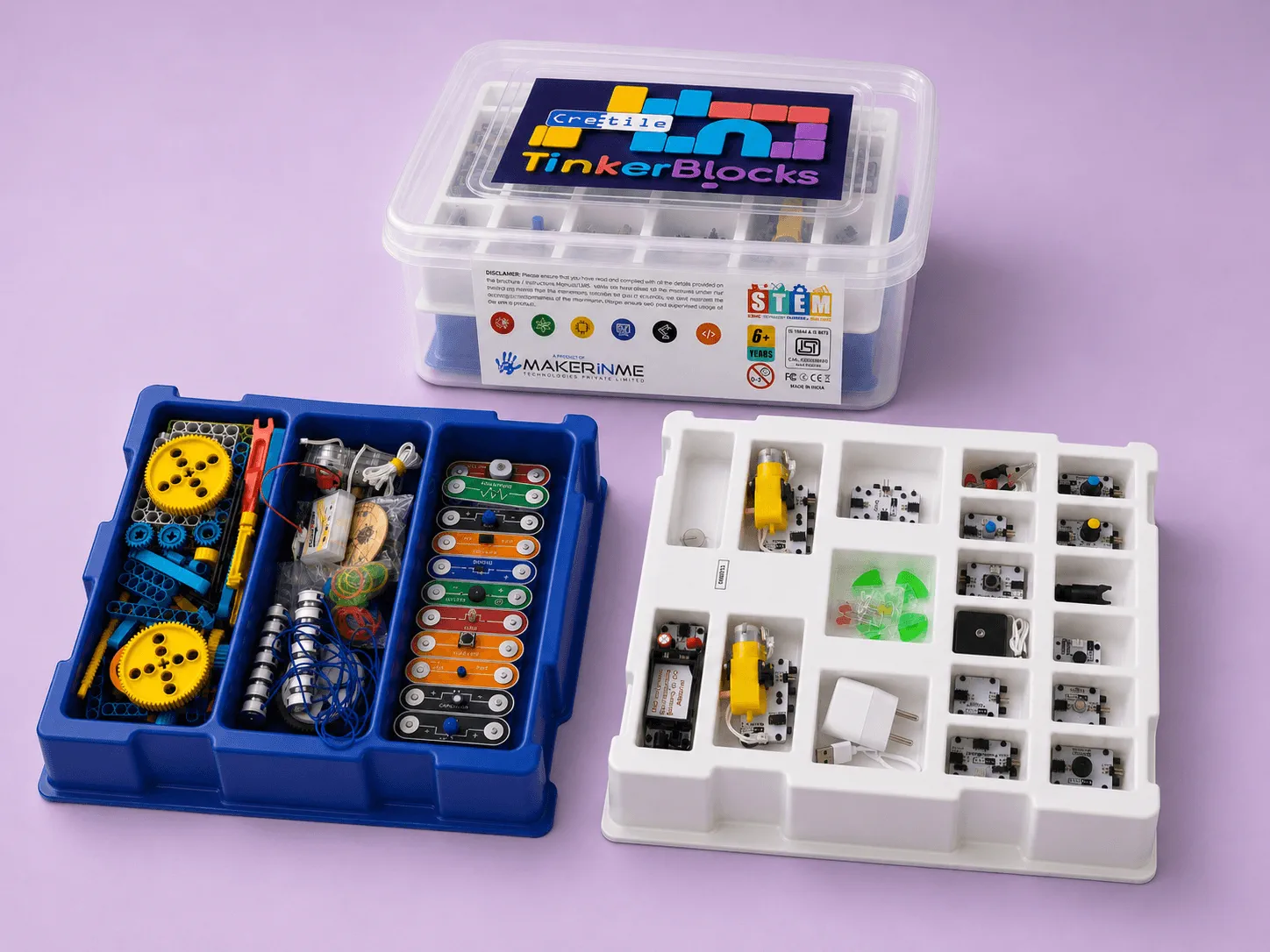
Cretile kits are built from magnetic plug-and-play blocks. Each block does one job, like a light, a buzzer, a motor or a sensor, and students join blocks together to build a working circuit or robot. There's no soldering, no loose wiring, and the blocks are designed so there are no wrong connections. That one design choice decides whether a STEM period is spent learning or spent fixing wires.
Most school electronics kits use breadboards and jumper wires. They teach real skills, but one loose wire can cost a class 10 minutes, and a teacher without an electronics background often can't find it. Cretile blocks take that problem away, so the teacher can run the class and students can try things without being afraid of getting them wrong.
60+
Functional blocks across the system
13+
Types of sensors
0
Soldering, loose wires or wrong connections
Reusable
Every block, year after year
What is a plug-and-play electronics kit?
A plug-and-play electronics kit lets students build working circuits by joining ready-made modules instead of wiring individual components. Each module already contains its parts (an LED with its resistor, a sensor with its circuit), so students connect functions, not loose components.
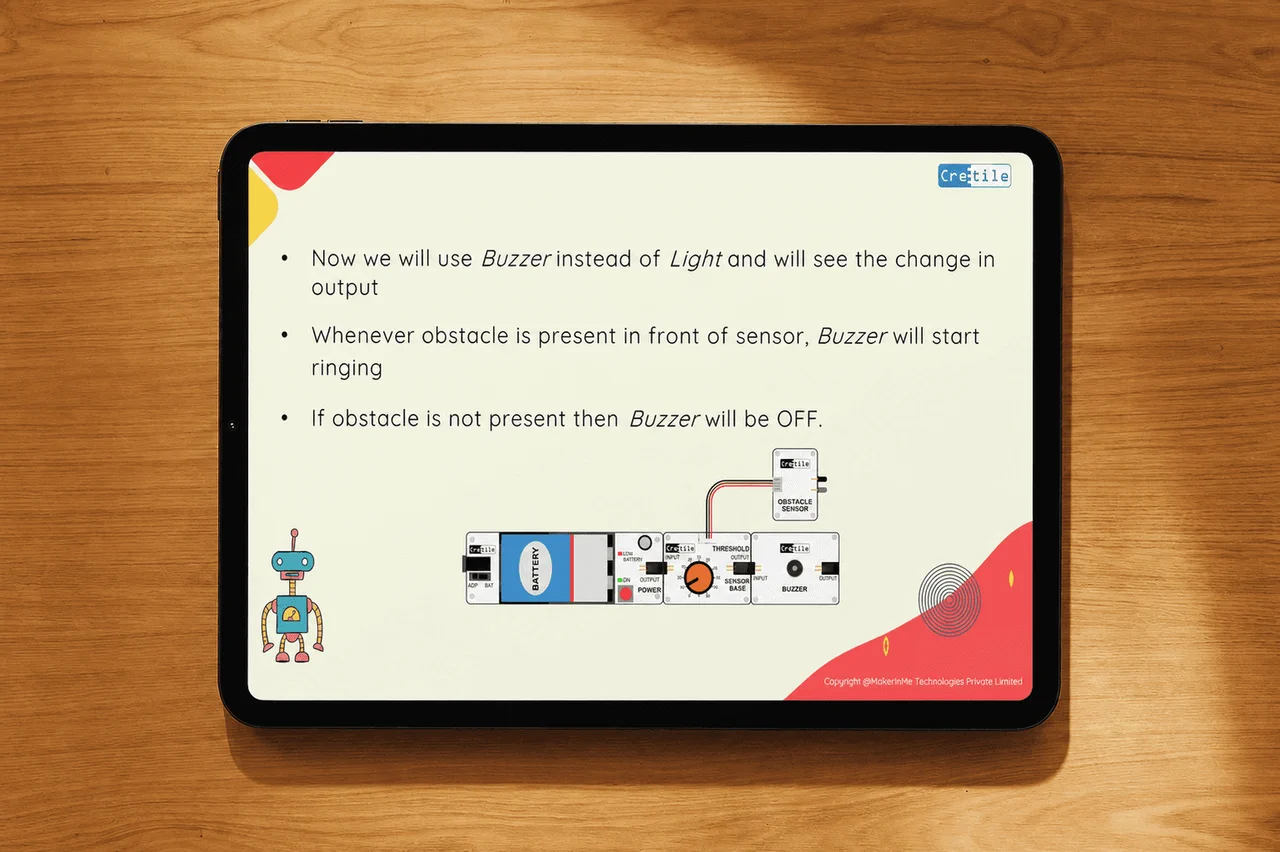
In a Cretile kit those modules are called Cretiles. They're magnetic blocks that click together. A simple alarm, for example, is a row of blocks: battery, power, an obstacle sensor and a buzzer. Swap the buzzer for a light, and the same circuit now switches on a light instead. The circuit works because of the blocks students chose, not because every wire was pushed into the right hole.
How do Cretile blocks connect?
Every Cretile block uses the same standard connection, so any block can join any other block. It isn't a puzzle where each piece has one right place. That's what "no wrong connections" means.
Each block plays one specific role in the circuit: this one senses an obstacle, this one makes a sound, this one turns a motor. Students learn what each block does and then decide how to combine them. Because any block fits any other, there's more than one way to reach a working result, and students are free to think, try a different arrangement and see what happens.
That's also how we train teachers. In Yadgiri, Karnataka, most of the teachers in our two-day training didn't come from a technical background, so the session started with why each module exists and what role it plays, before any project. Once a teacher knows what a block does, they can reason about a project instead of following steps blindly. Read more in our guide to STEM teacher training for schools.
Why does "no wrong connections" matter in a classroom?
Because a school period is short. If a wrong connection or a loose wire has to be found mid-class, the period is lost, and the lab slowly stops being used.
A teacher has about 40 minutes and a syllabus to finish. Expecting them to debug wiring in front of 30 students is where most school labs go quiet: the equipment gets used only when there's spare time. Cretile blocks are designed so mechanical mistakes never stall a class period.
It changes how students behave, too. When nothing they try can be wired wrongly, they experiment more. They swap a sensor, add a buzzer, try another order. Getting it wrong becomes part of the lesson instead of the end of it.
What does a 40-minute class look like with Cretile blocks?
About 15 minutes to introduce the project and the idea behind it, 15 minutes to build and test it, and 10 minutes to find what went wrong, fix it and talk about why it works. It varies by project, but the blocks are what make the middle 15 minutes enough.
| Minutes |
What happens |
| 0 to 15 |
The teacher introduces the project with visuals and real-world examples. Students see what they'll build and why |
| 15 to 30 |
Students join the blocks, and on the coding kits, upload and test their code |
| 30 to 40 |
Students experiment, find errors and fix them. The teacher closes with a few questions |
Every project comes with a session plan, class slides, a step-by-step guide, a video and a quiz on Cretile's learning platform (LMS), so the teacher doesn't plan the period from scratch. See what's in the Cretile curriculum.
What can students build with Cretile blocks?
Working projects that solve real problems, from a soil dry alarm that warns when a plant needs water to a street light that saves energy and a robot that backs away from a hand.
- Soil Dry Alarm. A moisture sensor block detects when the soil is dry and sets off an alert. It's a simple version of the smart irrigation used in farming.
- Smart Street Light. A sensor detects when someone is nearby and switches the light on, so it isn't using power when no one is there.
- Touch Me Not Robot. When someone tries to touch it, the robot senses the hand through its sensor block and moves back.
- Line Follower Robot, Water Level Alarm, Person Counter with Overcrowd Alarm and more on the higher-grade kits.
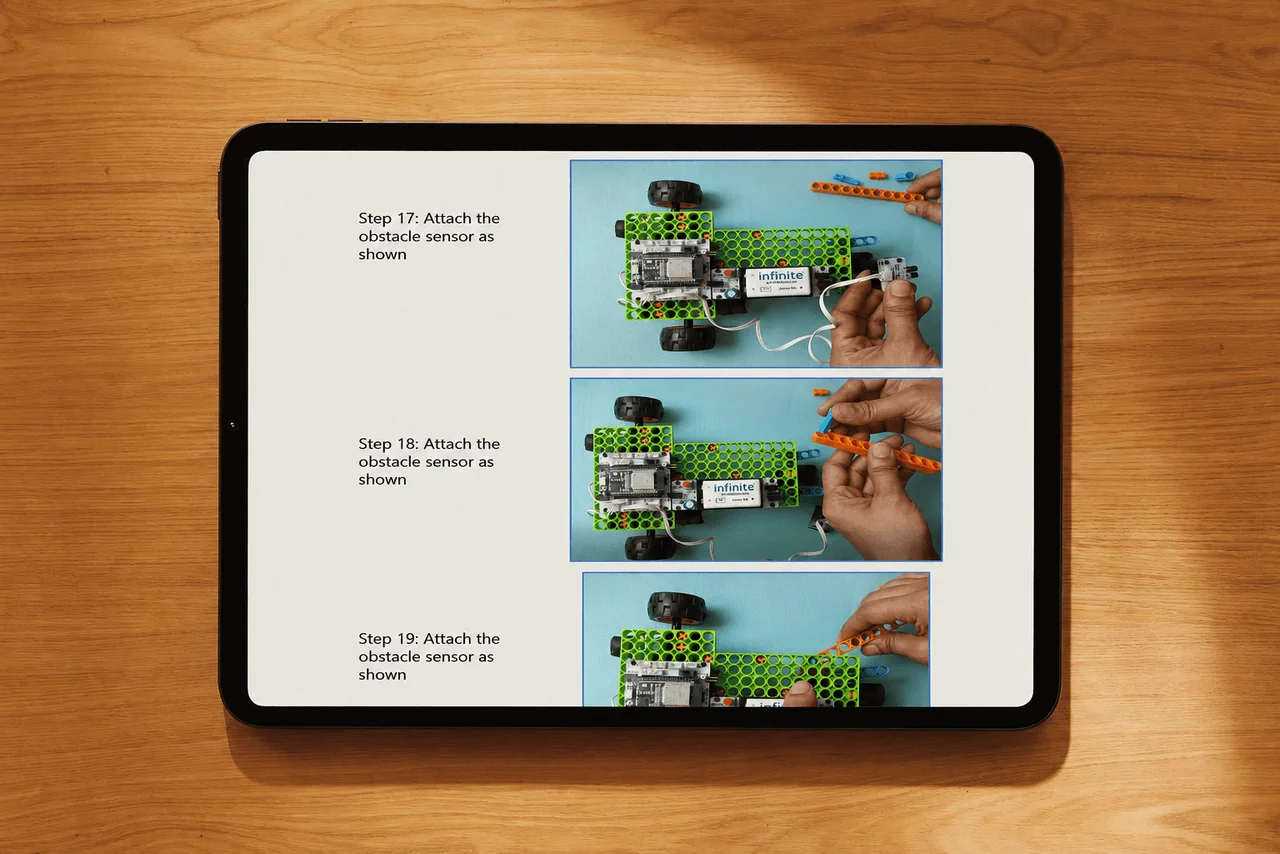
- A robot car, built in under 5 minutes with no coding.
How far it goes depends on the grade:
| Grades |
Kit |
What students do |
| 1 to 3 |
TinkerBlock or EduPlay STEM |
Building blocks and snap-together magnetic circuits. No coding. EduPlay maps activities to the science and maths syllabus |
| 4 to 10 |
Combined Kit or Mini School Kit |
Robotics, electronics and coding, using NetLogic, the programmable block. Students code on a computer, with block and Python coding in the browser on Cretile's coding portal. The Mini School Kit goes on to app development, IoT and AI |
NetLogic is built on the ESP32, a microcontroller that also has Wi-Fi, which is how the same blocks go on to coding, Internet of Things (IoT) projects, phone apps and introductory AI in the higher grades.
Do Cretile blocks get used up?
No. Every block in TinkerBlock, the Combined Kit and the Mini School Kit is reusable, year after year. There are no single-use parts. The one exception is EduPlay STEM, which includes some DIY science materials for its experiments.
That matters for a school budget. A kit built from breadboards, jumper wires and loose components loses parts every term. A block kit is taken apart at the end of the period and built into something else in the next one.
Do teachers need an electronics background to use them?
No. Most teachers who run Cretile labs don't have one. They need three things, and Cretile provides all three:
- Training on the kit itself. We train the trainers at our EdTech partners, onsite or online, and they train the teachers in each school.
- A ready lesson for every period, with lifetime access to the LMS: a session plan, slides, guide, video and quiz for each project, plus curriculum mapping.
- Blocks with no wrong connections, so a mistake in class is something to learn from, not something to fix.
We've trained more than 10,000 teachers this way. In Rajkot, Gujarat, two days of training got 5 teachers confident enough to teach with Cretile on their own. Their feedback was short: the kits just work.
Who this is for
You're a school principal. You want the lab to be used every week, not only on inspection day. Ask any supplier what happens when a student connects something wrongly. With Cretile, the answer is that it can't be connected wrongly.
You're a STEM or ATL coordinator. ATL is the Atal Tinkering Lab, the government-funded tinkering lab under the Atal Innovation Mission. You'll be the person other teachers call when a project doesn't work. Blocks that can't be wired wrongly mean fewer of those calls, and more sessions run by teachers on their own.
You're running an EdTech or CSR STEM programme. You can't visit every classroom. Equipment that works without a technician is what keeps sessions going in schools you rarely see.
Plug-and-play blocks or breadboards: which should a school choose?
|
Cretile magnetic blocks |
Breadboard and jumper wires |
| Soldering |
None |
None for breadboards, needed for permanent builds |
| Wrong connections |
Designed out |
Common, and hard to spot |
| Time to a working circuit |
Minutes |
Depends on how carefully it's wired |
| Who can teach it |
Any trained teacher |
Usually a teacher comfortable with electronics |
| Parts used up |
None (EduPlay has a few DIY materials) |
Components and wires get lost or damaged |
| Best for |
Grades 1 to 10, regular class periods |
Older students learning circuit design in depth |
Breadboards still have a place. Senior students who want to design circuits component by component should learn them. For a school that needs every section to run a STEM period every week, blocks get more students building, more often.
FAQ
What is a plug-and-play electronics kit?
A kit where students build circuits by joining ready-made modules, such as a light, a sensor or a motor, instead of wiring individual components on a breadboard. Cretile's modules are magnetic blocks.
Do Cretile kits need soldering?
No. Cretile blocks join with magnets. There's no soldering and no loose wiring.
Can students connect Cretile blocks the wrong way?
No. Every block uses the same standard connection, so any block joins any other. There's no single right place for each piece, and more than one way to build a working project.
Are Cretile blocks reusable?
Yes. Every block in TinkerBlock, the Combined Kit and the Mini School Kit can be reused year after year. Only EduPlay STEM includes some single-use DIY science materials.
Do students need a computer to use Cretile kits?
Not in Grades 1 to 3, which use no coding at all. The Grade 4 to 10 kits include coding, done on a computer in the browser through Cretile's coding portal.
Which grades are Cretile kits for?
Grades 1 to 10: TinkerBlock and EduPlay STEM for Grades 1 to 3, and the Combined Kit and Mini School Kit for Grades 4 to 10.
Get started
Order one kit and use it for 8 weeks, with full access to the LMS. If it isn't right for your school, we arrange the pickup and a full refund.
Or tell us your grades and how many sections you want to run, and we'll connect you with the Cretile partner nearest you.
Related: Robotics curriculum for schools · STEM teacher training for schools · STEM kits for schools without a computer lab · What a STEM lab is, and what goes into one
Talk to us